
Download iMacros for Firefox – Browser Automation, Macro Recorder, Productivity Tool
Overview
iMacros for Firefox is a specialized browser automation tool designed to streamline repetitive online tasks. By enabling users to record, edit, and replay sequences of actions within the Firefox browser, it reduces manual effort and increases efficiency. This app is particularly useful for individuals who frequently perform routine web interactions—such as form filling, data entry, or testing website functionality—without the need for coding knowledge.
The target users include professionals, researchers, web testers, and casual users seeking to minimize time spent on repetitive browsing tasks. The developer, iMacros, has positioned this tool as a practical utility for enhancing productivity in daily digital workflows. Although specific details about the development team or company background were not provided, the app’s long-standing presence in the browser automation space suggests a focus on reliability and user-centric design.
Real-world use cases include automating login sequences, bulk data extraction, and testing form submissions across multiple pages. In the broader app ecosystem, iMacros fills a niche for lightweight, accessible automation without requiring complex scripting. Its integration with Firefox makes it a valuable companion for users seeking to optimize their browsing experience.
Key Features & Functionality
- User-Friendly Macro Recording: Users can start and stop macro recording with simple button presses, making automation accessible even to non-technical individuals. This feature lowers the barrier to entry and encourages adoption across diverse user groups.
- Password Management Caution: While the tool supports inputting credentials automatically, it advises users to encrypt sensitive data or enter passwords manually to maintain security. This reflects a responsible approach to handling personal information.
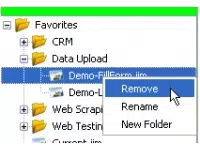
- Bookmark and Share Macros: Recorded macros can be saved as bookmarks for quick access. Additionally, sharing via email or Delicious promotes collaboration and knowledge exchange among users, fostering a community-driven approach to automation.
- No Scheduling Options: The app does not support scheduled execution or automatic startup triggers. Users must manually initiate macros, which may interrupt workflows, especially for time-sensitive tasks.
- No Background Running: Macros cannot execute while the user is engaged in other activities. This limitation requires users to pause their browsing during automation, potentially reducing overall efficiency for longer processes.
These features demonstrate a balance between simplicity and functionality. For example, a researcher might use macro recording to extract data from multiple web pages, saving hours of manual copying. Similarly, a web tester could replay form submissions across different environments to verify consistency. However, the absence of scheduling and background execution limits the app’s potential in automated workflows, especially for users managing complex or time-consuming tasks.
Interface, UX & Performance
The user interface of iMacros for Firefox is designed with functionality in mind, integrating seamlessly into the Firefox browser environment. The layout is minimalistic, with essential controls—record, play, stop—readily accessible via the toolbar. Navigation is straightforward, allowing users to manage macros through a dedicated panel that lists all saved recordings.
Visual style aligns with Firefox’s default theme, ensuring consistency and reducing cognitive load. The app responds promptly to user inputs, with playback performance varying based on the complexity of the macro and the user’s device capabilities. Although the developer did not list formal performance metrics, the tool operates efficiently for typical automation tasks.
Stability appears consistent during short to medium-length sessions, though prolonged use may depend on system resources. Responsiveness is adequate for most users, though background execution is not supported, which may lead to temporary browser unresponsiveness during macro runs. Overall, the UX prioritizes ease of use and clarity, making it suitable for both beginners and intermediate users.
However, advanced customization options are limited, and the lack of visual feedback during execution may affect user confidence in longer processes.
Platform Compatibility & Technical Requirements
iMacros for Firefox is designed exclusively for the Firefox browser, ensuring compatibility with the latest versions of the platform. The app is available as an extension, which integrates directly into the Firefox environment. Specific operating system requirements were not listed by the developer, nor were minimum OS versions or hardware specifications disclosed.
The file size of the extension is not publicly available. As such, compatibility with different device categories—such as desktops, laptops, or tablets—remains dependent on the user’s Firefox installation and system configuration. The developer did not specify whether the app supports mobile versions of Firefox or alternative browsers.
Users should ensure their Firefox browser is up to date to maintain optimal functionality. Given the app’s release date of April 6, 2013, it has been in use for over a decade, indicating long-term support and stability within the Firefox ecosystem. However, the lack of recent updates may raise concerns about compatibility with modern web standards and evolving browser security policies.
Pros and Cons
- Simple, intuitive macro recording with minimal learning curve
- Seamless integration with Firefox browser
- Supports saving and sharing macros via bookmarks and external platforms
- Accessible to non-technical users without coding experience
- Effective for repetitive data entry and form filling tasks
- No scheduling or automated startup capabilities
- Cannot run macros in the background
- Limited visibility during macro execution
- Outdated release date raises concerns about modern compatibility
- Security risks if passwords are stored unencrypted
FAQ
Is iMacros for Firefox safe to use?
The app is safe when used responsibly. However, users should avoid storing passwords in plain text and instead use secure methods like encrypted storage or manual entry.
Can I use iMacros on mobile devices?
The developer did not specify mobile compatibility. The app is designed for Firefox on desktop platforms and may not function on mobile browsers.
Does iMacros support automation on other browsers?
Based on available information, iMacros for Firefox is tailored specifically for Firefox. Compatibility with other browsers was not confirmed.
How do I update iMacros for Firefox?
Updates are typically delivered through the Firefox Add-ons marketplace. Users should check the extension page regularly for new versions.
Can I run macros automatically at startup?
Currently, the app does not support automatic execution upon browser launch. Users must manually trigger macros each time.
Final Thoughts
iMacros for Firefox remains a valuable tool for users seeking to automate routine web tasks without writing code. Its straightforward macro recording and integration with Firefox make it a practical choice for productivity enhancement. While the lack of scheduling and background execution limits its automation potential, the app still delivers solid value for users focused on repetitive form filling, data extraction, or testing.
The community-driven sharing features further extend its utility by enabling collaborative problem-solving. However, the app’s age and absence of modern features suggest it may not be ideal for users requiring advanced automation capabilities. For those prioritizing simplicity and browser-specific efficiency, iMacros for Firefox offers a reliable, lightweight solution.
Download iMacros for Firefox now to streamline your daily browsing tasks and boost productivity.


